
Powerful AI Tools for Graphic Design in 2026 (For Beginners and Freshers)
Let me tell you something that would sound absurd five years ago.
You don’t need a graphic design degree, a fancy laptop, and an Adobe Creative Cloud subscription costing NPR 5,000 per month in order to design like a pro in 2026. You just need the right internet connection, the right free tools, and around 20 minutes of daily practice.
This is not hyperbole. This is the current reality of AI design in 2026.
The tools mentioned in this article are currently being used by students in Kathmandu, freelancers in Pokhara, entrepreneurs in Biratnagar, and marketing professionals throughout Nepal to design social media posts, logos, thumbnails, presentation slides, mock-ups, and advertisements without having to hire a professional designer.
This post is meant for those newbies who have never opened Photoshop before. This post is meant for the freshers out there who wish to learn graphic design and become a freelance designer. And yes, this post is also meant for those in marketing and tech who wish to make their visuals even more amazing.
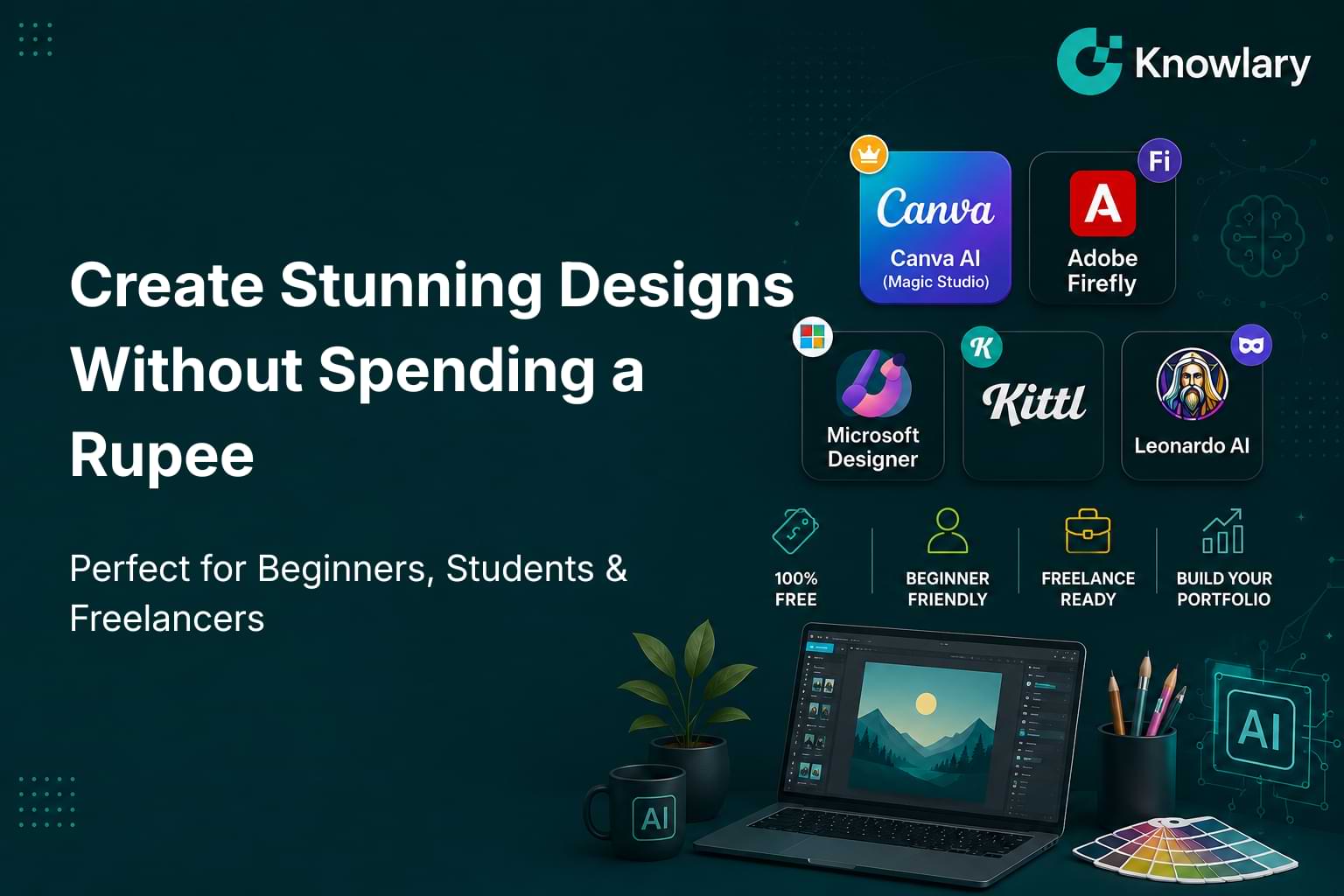
Here are the five most powerful free AI design tools in 2026, explaining the way nobody else will honestly, practically, and specifically for where you are in your journey.
Why AI Design Tools Are a Career Skill, Not Just a Shortcut
Before we start our list, something you should know about first.
According to a study by Figma's "State of the Designer 2026" — based on a survey involving 906 designers from all around the world — 72% currently use AI generators within their design process, while 98% have increased their use of AI in the past year. Being able to use AI as part of your design workflow is now considered the second-most sought after skill in the design industry.
Say that again. Being able to use AI as part of your design process is the second-most sought after skill in the entire design industry in 2026.
Now, in 2026, this technology is more important than ever before, as the underlying machine learning models have become considerably better – text-to-image is possible, brand-aware output generation is consistent, and the dividing line between "designer" and "non-designer" becomes increasingly thin, meaning that more people can create professional-quality designs without a design degree.
This is hugely important for IT professionals in Nepal – whether you are working on your personal brand, creating content for a startup, building a portfolio to get your first job/internship, or providing freelance services to international clients, mastery in AI design technology is one of the quickest skills to learn and one of the most profitable at once.
And guess what – you can start for free right now!
Tool 1: Canva AI (Magic Studio): The Best Starting Point for Absolute Beginners
- Free Tier: Yes, genuinely generous and fully usable
- Best For: Social media graphics, presentations, posters, thumbnails, marketing materials Platform: Web, iOS, Android
- Official Link: canva.com
What It Actually Is
For many years now, Canva has served the purpose of being an easy-to-use drag-and-drop design tool. In 2026, however, Canva has evolved into an entirely different platform. Canva Magic Studio is the name of the artificial intelligence layer added to the existing Canva design interface – and this makes a huge difference in the ability of novices to design.
By using Canva Magic Studio, you just input a text prompt, and the tool produces entire design layouts such as social media posts, presentations, flyers, banners, and other designs for you. Then you simply customize your output with Canva’s drag-and-drop interface. No design skills required. No blank screen anxiety. Just say what you need, and let the AI do the first design draft.
The free version of Canva is the best choice when it comes to layout and templates, but AI images commercial rights require the Pro version.
What You Can Create for Free
- Instagram, Facebook, and TikTok graphics in the exact right dimensions
- YouTube thumbnails that actually stop the scroll
- Business presentations and pitch decks
- Posters, flyers, and event promotions
- Resume and portfolio designs
- Logo concepts and brand kits (basic)
The Feature That Changes Everything for Beginners
Magic Eraser is a feature of Canva that helps to get rid of the unwanted elements present in a photo. The Background Remover helps in isolating the object of the design within a single click. Magic Write provides you with a facility to add text copy for your designs. AI Image Generator creates images out of your text prompt. All of these features are available through the free package.
For a novice who has never done any professional designing before, Canva in 2026 is really the platform that renders “I cannot design” as an invalid excuse.
Why It Matters for Your Career
Every professional in Nepal's digital economy marketers, entrepreneurs, content creators, IT professionals produces visual content regularly. Canva fluency is not a design skill. It is a professional literacy skill in 2026. And pairing it with the deeper strategic knowledge in Knowlary's Digital Marketing Mastery course means you understand not just how to make graphics, but how to make graphics that actually convert.
Honest Limitation
AI-generated images in Canva's free plan cannot be used for paid commercial campaigns without upgrading to Pro. For personal projects, portfolios, and non-commercial social content completely fine on free.
Tool 2: Adobe Firefly: The Safest AI Design Tool for Commercial Work
- Free Tier: Yes, free account gives monthly generation credits
- Best For: Professional image generation, commercial-safe AI graphics, creative concepts Platform: Web (also integrated inside Photoshop, Illustrator, and Adobe Express)
- Official Link: firefly.adobe.com
What It Actually Is
The Adobe Firefly is the AI-powered image and design creation engine from Adobe — and what really sets Adobe Firefly apart from everything else here is how it has been trained.
Adobe trained Firefly on Adobe Stock, openly licensed works, and public domain material only. This allows it to have an inherent legal advantage over others which is especially crucial for agencies and brands who cannot afford any legal tussle.
Put simply: while some of the AI tools out there can generate images that may infringe on the copyright or likeness of the artwork or even individuals whose face it uses, Firefly is designed to be completely safe to use commercially.
Yes, you have the absolute rights to use the graphics you create using Adobe Firefly, including all commercial rights to use it.
What You Can Create for Free
- AI Generated Image Artistry
- Text Effects - transforming text into artistic graphics (logos, posters, headlines)
- Generative Fill - masking and replacing portions of photos using AI technology
- Vector Graphics & Illustrations
- Background Generation & Masking
- Concept Exploration for clients
The Feature That Will Blow Your Mind
The Generative Fill of Adobe Firefly in Adobe Express (which is free) allows you to select any area of the image and change it to something entirely different based on a text prompt. Do you have an image with an ugly background? You can change it to the landscape of a mountain range. Would you like to include a product in your lifestyle image? Just describe it, and Firefly will generate it for you within seconds.
Explore Gemini 3, GPT Image, FLUX, and other models with Firefly, which is a creative multi-model AI generator.
Why It Matters for Your Career
The safety of using Firefly for commercial purposes is vital when you are developing your freelance career or dealing with customers. You have to be sure about the legal cleanliness of the assets you create for your customers. Firefly offers you this security feature, whereas Midjourney does not on its free plan.
When you are a design student using AI technology, Firefly will help you develop professional thinking about workflow, including generating and using assets.This is the mindset covered in depth in Knowlary's Graphics Design with AI course, which takes you from understanding AI tools like Firefly to building a design skill set that Nepal's market actually pays for.
Honest Limitation
Free monthly credits run out faster than you expect if you are generating images at high volume. The free tier is excellent for learning and portfolio projects for production-level commercial work at scale, you will eventually want Adobe Express Premium.
Tool 3: Microsoft Designer: The Hidden Gem Nobody Talks About Enough
- Free Tier: Yes,completely free with a Microsoft account
- Best For: Social media graphics, quick marketing visuals, AI image generation
- Platform: Web, integrated with Microsoft 365
- Official Link: designer.microsoft.com
What It Actually Is
Microsoft Designer is one of the most undervalued free design tools available in 2026 and, at the same time, is quite potent.
Microsoft Designer is rather potent for a free design tool. The platform employs the DALL-E technology to create images and provides AI-generated layout advice, background removal services, and social media template designs. The platform is integrated into the Microsoft 365 suite; therefore, the platform is easy to use if the whole team uses Microsoft products.
You describe the kind of design you need in plain text "Instagram design for a new product release of a tech startup, dark-blue colors, bold fonts" and the Designer creates complete and ready-for-sharing social media graphics in various variations. Then you choose the one you like and adjust it to your liking.
The image creation feature of the Designer is powered by DALL-E, which is the same technology behind image generation for ChatGPT.
What You Can Create for Free
- Social media posts in all standard platform sizes (Instagram, Facebook, LinkedIn, X)
- AI-generated images from text prompts
- Customizable templates across dozens of categories
- Background removal in one click
- Presentation graphics and visual assets
Why It Is Especially Good for Beginners
In contrast to the need to learn an entirely new interface, Microsoft Designer uses AI that handles most of the work. You tell it what you want to create using natural language. Designer creates it. You tweak it a little. And it is done.
As a tool for fast social posts and graphics creation for teams on a budget, it cannot be beat, as it comes free of cost.
If you are a novice in Nepal using Microsoft 365, which almost all BSc CSIT, BCA, and management students do, there is absolutely no cost associated with switching to Designer.
Why It Matters for Your Career
In the expanding economy of digital marketing and content generation in Nepal, making graphics for social media fast and reliably is an actual employable skill. Businesses, particularly startups and small-to-medium enterprises, require someone who can make visuals without relying on a full-time design team to make each one.
It is the knowledge of how to make the visuals and the strategy behind it that makes you valuable. If you want to go deeper into how digital content and design connect to real business growth, explore what Knowlary's Digital Marketing Mastery course covers on the content and visual strategy side of marketing.
Honest Limitation
Less flexible than Canva for complex, multi-element design layouts. Microsoft Designer shines for quick, AI-generated single-graphic creation not for building elaborate multi-page presentations or detailed brand kits.
Tool 4: Kittl: The Best Free Tool for Logo and Brand Design
- Free Tier: Yes, no credit card required
- Best For: Logos, brand identity, t-shirt designs, print graphics, social media assets
- Platform: Web only (no mobile app currently)
- Official Link: kittl.com
What It Actually Is
Kittl is an example of that kind of tool which no beginner in design is aware of — yet it should be known, because Kittl is one of the best free tools for designers and brand builders in 2026.
Kittl is the hidden gem for design and brand creation. This online platform allows to generate images using the power of AI and design logos, t-shirts, social media posts, and other print-ready visuals with the help of design editor. Features of AI in Kittl include text-to-image generation, background removal and vectorization.
The special thing about Kittl and not about Canva or Designer is the ability to create consistent brand design and design print-ready assets. Any logo created in Kittl is vector-based and scalable, which is very convenient when you need your logo printed on banners, business cards, merchandise and other products.
What You Can Create for Free
- Professional logos with AI-generated and customizable elements
- T-shirt and merchandise designs
- Social media graphics with typographic focus
- Print-ready assets for banners, business cards, posters
- Brand identity kits with cohesive visual elements
The Feature That Beginners Love
Unlike other free tools, Kittl’s free version allows you to pick from a number of different AI image generation models something that’s truly unique in the world of free tools. Other free tools allow you to use only one type of AI image generator.
In order to get access to Kittl, you have to register via email or Google. Thankfully, there is no requirement to provide any card information.
Sign up and design. Nothing else required.
Why It Matters for Your Career
Nepal has small businesses, entrepreneurs, startups, and individual brands that will always require a logo to be designed for them, but they do not have enough budget to afford an agency. A freelancer that can create logo designs using Kittl and has good communication skills with clients will have easy access to money making opportunities.
For students who are building their first portfolio, Kittl makes it realistic to create five to ten polished logo concepts before finishing their first month of practice — which is exactly the kind of work that gets you noticed in internship applications. Read how to build a portfolio that actually gets you hired in Nepal to understand how design projects fit into your overall career story.
Honest Limitation
There is no app for mobile devices as of 2026; hence, you will require a laptop or a computer. While the free version offers limited functionality when it comes to exporting your designs, for example, vector SVG exports which are needed for professional printing, that requires the Pro version.
Tool 5: Leonardo AI: The Most Powerful Free AI Image Generator
- Free Tier: Yes, 150 tokens per day, resetting every 24 hours (roughly 18–30 images per day)
- Best For: High-quality AI image generation, concept art, product visuals, creative illustrations
- Platform: Web
- Official Link: leonardo.ai
What It Actually Is
Have you ever wished to create truly amazing pictures from the description of those images? In case you haven’t heard of this before, Leonardo AI is a free service that creates these images of extremely high quality that will look like a professional campaign or artwork.
The best part of using Leonardo AI is that you get the biggest amount of free tokens per day — 150 tokens daily (it resets every 24 hours). This translates into about 18-30 images per day.
And all that is 18-30 high-quality images created by artificial intelligence per day for absolutely nothing at all! No credit card details required, no trial period needed – just free account creation, and there you go.
Moreover, Leonardo provides several different AI models to choose from according to your artistic preference – photorealistic pictures, illustrated designs, 3D rendering and even anime style and much more.
What You Can Create for Free
- Photorealistic product and lifestyle images
- Creative concept art and illustrations
- Character designs and portrait generation
- Background scenes and environment art
- Social media hero images and campaign visuals
- Unique graphics that no stock photo site has
Why It Is Genuinely Different From Other Tools
Whereas other free AI picture makers will generate 5 to 15 images each day of relatively low quality, Leonardo will generate up to 30 pictures of high quality, where you have an opportunity to choose your model, set image size, and play with style parameters, which other free services do not provide.
There is even a Canvas Editor where you may use generated images as the basis and improve them using background expansion, adding objects, merging several images into one picture. That is how Leonardo becomes more than an image generator - it becomes a real design process.
Why It Matters for Your Career
Unique images act as currency in the emerging content industry in Nepal. Every person with any kind of social media presence, businesses, or branding needs unique images, but all the stock photo websites are full of images used by everyone. Leonardo creates images that no one else can create, making your content, your portfolios, and your clients' work uniquely yours.
For beginners who are learning how to position themselves for design and digital careers in Nepal, building a portfolio of AI-generated design work using Leonardo is one of the fastest ways to have something impressive to show within the first month of practice.
Understanding both the technical workflow of these tools and the strategic thinking behind visual communication is what separates a hobbyist from a professional. That is exactly the combination covered in Knowlary's Graphics Design with AI course built specifically for Nepal's market, covering real tools, real workflows, and real career outcomes.
Honest Limitation
However, Leonardo only focuses on creating images; it is not a comprehensive tool for creating layouts of designs such as Canva. The optimal process is one that uses Leonardo to create custom images and then uses tools such as Canva or Kittl to design using the generated images.
The Quick Reference: All 5 Tools at a Glance
Canva AI (Magic Studio): Offers a generous free plan and is ideal for all-round design and social media, making it perfect for absolute beginners with features like AI layout generation and Magic Eraser.
Adobe Firefly: Provides free monthly credits for creating commercial-safe AI images, suitable for beginner to intermediate users, with 100% commercially safe output.
Microsoft Designer: Is completely free and best for quick social media graphics, making it ideal for beginners with DALL·E-powered image generation at no cost.
Kittl: Offers a free plan with no credit card required, making it great for logo and brand design for beginner to intermediate users, with multi-model AI and vector export.
Leonardo AI: Provides 150 free tokens per day for high-quality image generation, suitable for beginner to advanced users, and features one of the most generous free image quotas.
How to Actually Use These Tools to Build Real Skills (Not Just Pretty Pictures)
This is what all tool guides leave out.
It is very simple to use AI tools. Becoming a skilled designer using AI tools, someone who can actually get hired, get clients or build a brand is a little bit different.
AI does one thing extremely well and that is managing volume, speed and iterations, the producing aspect of design which used to take up far too much time from a designer before. The most efficient way of working in 2026 is not having AI replace designers, but rather using AI to do more things that truly need human thinking.
The students who succeed at getting something productive out of these tools are those who don't only use them to generate cool-looking pictures but use them to create real projects. A campaign for social media of a fictional brand. A concept of a logo for the business of a relative. A project in a portfolio for a product that does not exist but looks realistic.
Every finished project gives you experience that tutorials will never give you: decision-making skills, presentation techniques, explaining your choices, creating something that a real client or an employer will actually like.
For a structured path to turning these tools into a real career skill set, Knowlary's Graphics Design with AI course is specifically built for Nepal's market not generic design theory, but practical AI design workflow that connects to real job opportunities and freelance income.
What Design Skills Actually Pay in Nepal's Market in 2026
Let us talk numbers, because understanding the financial outcome helps you prioritize.
- Graphic Designer (In-house): Earn NPR 20,000–35,000/month as a beginner, NPR 50,000–1,00,000/month at mid-level, and USD 500–2,000/month through freelancing.
- UI/UX Designer: Earn NPR 25,000–45,000/month as an entry-level professional, NPR 60,000–1,20,000/month at mid-level, and USD 800–3,000/month as a freelancer.
- Social Media Designer: Earn NPR 18,000–30,000/month initially, NPR 40,000–80,000/month with experience, and USD 300–1,500/month through freelance projects.
- Brand Identity Designer: Earn NPR 25,000–50,000/month at the entry level, NPR 60,000–1,20,000/month at mid-level, and USD 500–2,500/month as a freelancer.
- AI Design Specialist: Earn NPR 30,000–60,000/month as a beginner, NPR 80,000–1,50,000/month at mid-level, and USD 1,000–4,000/month through freelancing.
The freelance market is particularly significant for Nepal-based designers. International clients on platforms like Fiverr and 99designs regularly pay USD 100 to USD 500 for logo work and brand kits work that a skilled person with Kittl and Adobe Firefly can produce in two to three hours.
Understanding where these roles fit into Nepal's broader IT and digital economy and how design intersects with AI, marketing, and product development is covered in detail across the Knowlary blog. The guide on in-demand tech skills in Nepal and the AI jobs salary and demand breakdown are particularly worth reading if you want to understand where design skills fit in the bigger career picture.
The AI Design Stack Most Professionals Use in 2026
Here is one more useful tip before moving to conclusion.
The most successful groups in 2026 will be using 2 to 3 AI software for their design work. For example, Midjourney for pictures, Canva for layouts and social media content, and Figma for product design. To cover all aspects in just one tool is a mistake.
For beginners and freshers building their first design workflow without spending money, here is the free stack that works:
Starter Stack (All Free):
- Leonardo AI: Generate your custom, high-quality images
- Canva AI: Build complete design layouts around those images
- Kittl: Create logos and brand identity work
- Adobe Firefly: When you need commercially safe image generation
This combination covers 90% of what any beginner or fresher needs to produce professional-quality design work, build a portfolio, and start taking on freelance projects — all without spending a single rupee.
Final Thought: Design Is No Longer a Gatekept Skill
There was a time when becoming a graphic designer meant having access to expensive design software and requiring years of formal education and a costly computer to create any kind of designs whatsoever.
However, with the release of 2026, the gate to becoming a graphic designer is wide open. The tools presented in this list allow everyone to have access to professionally made designs, provided one is willing to dedicate themselves to daily practice. No longer is the question "Can I design?". The real question is "Am I willing to do the practice to become good at it?".
Those students who actually develop design skills through these tools will not only know how to create beautiful pictures. They will have developed their visual communication skills which would be highly valued by future employers and would complement any other career in the digital economy.
Try one tool. Do the practice. Create something you can be proud of within a month.
This is all it takes to start.
Explore more career resources, tech skill guides, and practical learning pathways for Nepal's digital generation at the Knowlary blog and course library.
Official Tool Links (All Free to Start)
- Canva: The best all-round free AI design tool for beginners
- Adobe Firefly: Free AI image generation with full commercial rights
- Microsoft Designer: Completely free, DALL-E powered social media graphics
- Kittl: Free logo and brand design with AI
- Leonardo AI:Most generous free AI image generation (150 tokens/day)
Additional Learning Resources
- Google's Fundamentals of Digital Marketing: Free course on design's role in digital marketing strategy
- Figma Community: Free design resources, templates, and UI kits to practice with
- Behance: Portfolio platform to showcase your AI design work and get discovered by clients